

Example: Sharing an Expert
Here, we show you step-by-step how to share an expert with your colleagues.
1. Creating an Expert
- Navigate to "Settings" - "Experts" and click on "New".
- Enter all the required information to define the expert according to the experts documentation.
- Save the expert.
2. Sharing the Expert
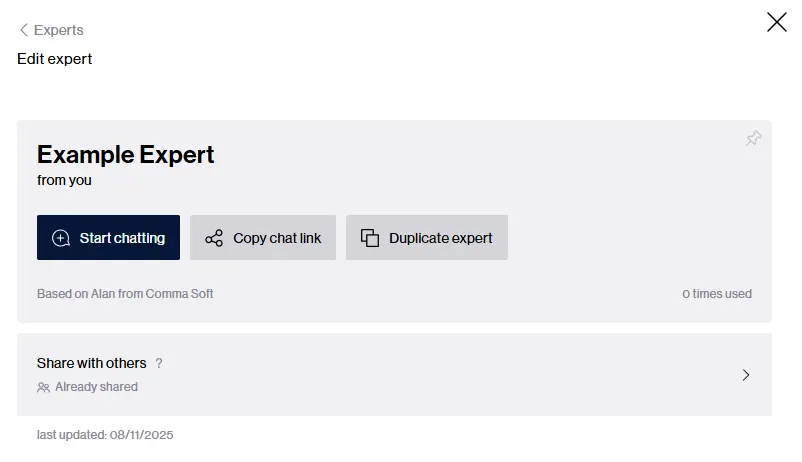
Click on the "Sharing with other users" button.
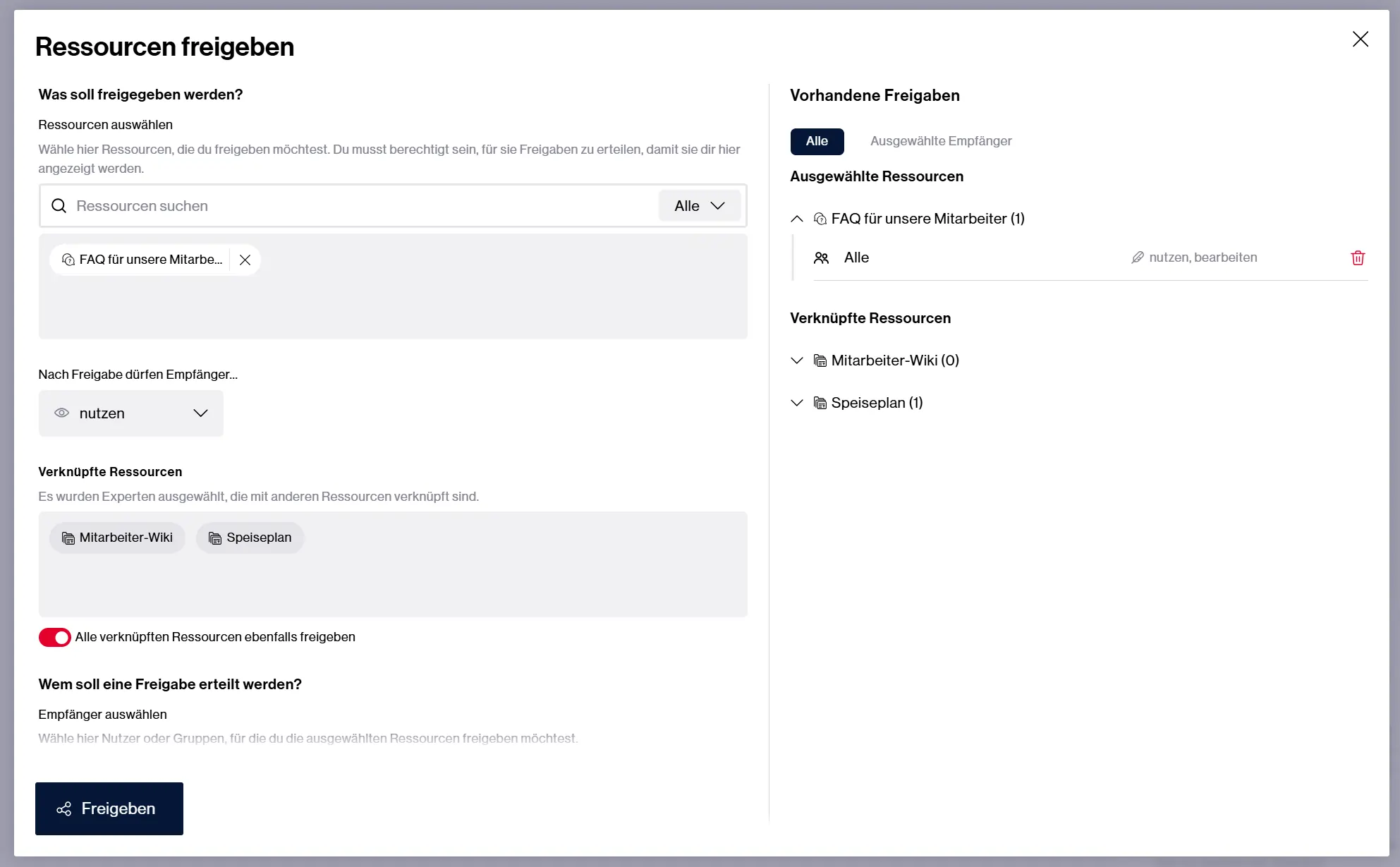
Choose which permissions the users receive: only use the expert, use and edit it, or use, edit, share, and delete it.
If the expert has linked knowledge databases or abilities, choose whether these should be shared as well.
Enter the names of the users you want to grant access.
If you selected recipients for whom the expert or linked resources are already shared, choose what should happen with the existing shares.
Click on "Share" to complete the process.
3. Managing Access
- Review the list of recipients with access.
- Remove recipients if necessary by clicking on the delete icon next to their name.