

Using Abilities
To extend Alan's functionality, you can use abilities in your chats.
This article explains how to select abilities in the chat configuration and how to approve the use of abilities.
Selection and Usage
To use abilities in a chat, they must first be selected.
To do so, click "Abilities" below the input bar. A quick-select popover opens where you can directly enable or disable pinned, suggested, or currently selected abilities.
When you click "Show more..." in the quick-select, the full chat configuration opens in the "Configure chat" dialog. On the Abilities tab, you find an overview of all abilities available to you and can select one or more abilities. Click the button at the start of a row to enable or disable an ability. On the right, you see a short description of each ability.
Once an ability is selected, Alan can independently decide whether and, if so, which tools to use to answer a question.
If necessary, you will be asked for approval in the chat history for Alan to use a tool. In this case, check whether sensitive information is being shared with external services.
It is possible to automatically approve the use of abilities in the chat or to disable automatic approvals for certain abilities.
Pinning Abilities
To quickly find and select your most frequently used abilities, you can pin abilities. Pinned abilities are always displayed at the top of the full list of available abilities. They are also shown preferentially in the quick-select below the input bar.
How you can pin an ability:
- Click "Abilities" below the input bar and then "Show more..." in the quick-select to open the overview of all abilities available to you in the chat configuration.
- Find the ability you want to pin and click on the pin symbol at the end of the row. Alternatively, you can click on the pin symbol in the top right corner in the detail view on the right.
- The pin symbol will become dark to indicate that the ability is pinned. The ability will now be displayed at the top of the list.
Usage Approvals
Some tools need to be approved in Alan before they can be used. This is done to protect your data and ensure that you maintain control over which information is shared with external services.
Whether an ability requires automatic or manual approval is indicated in the chat configuration.
Unchanged Default: 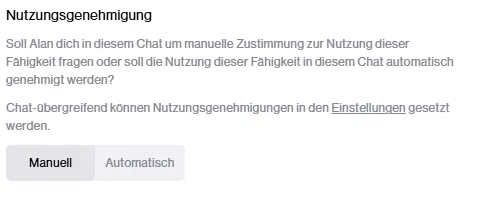
Manual Selection: 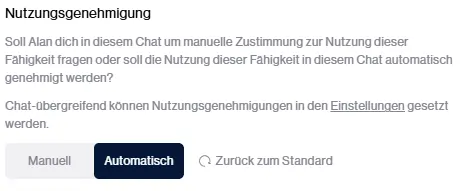
Usage approvals are set at different levels:
- Product Default: By default, all abilities that do not use external services are automatically approved. All other abilities require manual approval.
- Organization Level: Your organization can adjust the default approval behavior for all users, overriding the product default.
- User Level: You can customize the default approval behavior for yourself, overriding the settings at the organization level.
- Chat Level: For active abilities of a chat, you can adjust the approval behavior in the chat configuration, overriding the default settings at the user level. If an ability is inactive, the approval behavior cannot be adjusted, and the corresponding selection is grayed out.
Note
Administrators of your organization can enforce the approval setting for individual abilities. In this case, individual selection at chat and/or user level is no longer possible for you.
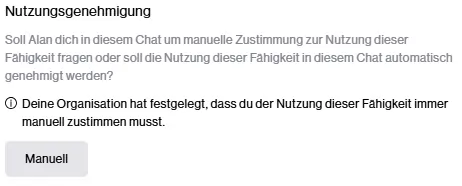
Sign-In
Some abilities require you to sign in before they can be used. This is to ensure that only authorized users can access certain services or information and allows Alan to access user-specific data.
When an ability is used that requires sign-in, you can only make a request to Alan after you have successfully signed in.